


As organisations grow, their structure rarely stays simple.
A company may have regional offices, legal entities, business divisions, departments, branches, and individual locations. Yet in many systems, all of these organisational units still appear as one long flat list.
That creates a practical problem. Users need to know exactly what they are looking for; similarly named units are harder to distinguish, and the order of items may have little connection to how the organisation actually works.
Ethicontrol now gives organisations more control over this structure with two complementary capabilities: hierarchical Units and custom Unit ordering.
Together, they make organisational structures easier to represent, navigate, and use throughout the platform.
Why a flat Unit list becomes a problem
A flat list works well when an organisation has ten units.
It becomes much less practical when there are dozens or hundreds.
Consider a multinational organisation with:
- countries;
- regional divisions;
- legal entities;
- business units;
- individual offices or operational locations.
Without hierarchy, every unit exists at the same level.
A user selecting a location may see several similarly named entities without understanding which region or division they belong to. Administrators may also have no control over whether the most relevant units appear first.
The underlying data may be correct, but finding the right value becomes unnecessarily difficult.
Tree structure for Organisational Units
Ethicontrol Units can now be organised through parent–child relationships.
Instead of treating every unit as an independent item, organisations can reproduce their actual internal structure.
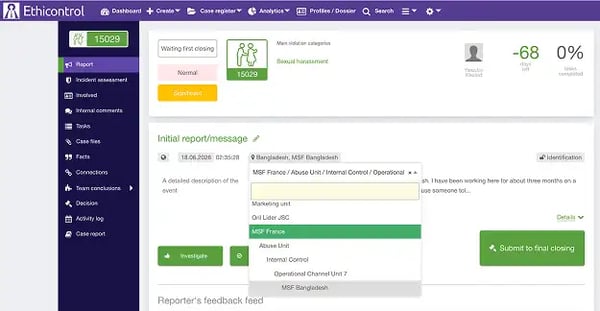
For example:
The exact structure depends on how the organisation operates.
When these relationships are configured, Unit selectors can display the hierarchy as a tree, giving users context before they make a selection.
 Want to learn how to organise Units?
See how to create Unit hierarchies and define a custom order for dropdown lists in our Help Center.
More context when selecting a Unit
The main benefit of hierarchy is not simply visual organisation.
It helps users understand where a Unit belongs.
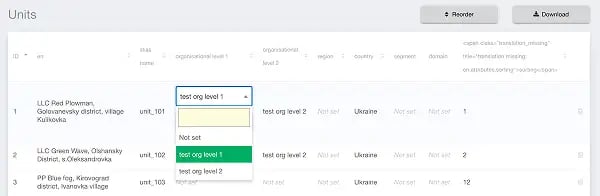
This becomes particularly important when:
- locations have similar names;
- several legal entities operate in the same country;
- different divisions contain their own regional structures;
- the organisation has many branches or facilities;
- the same Unit structure is used across multiple case management processes.
Instead of searching through an undifferentiated list, users can navigate through the organisational structure.
Custom order for Units
Hierarchy solves one part of the problem.
But organisations may also need control over the sequence in which Units appear.
Ethicontrol now supports custom Unit ordering, allowing administrators to define the exact order used in supported dropdown lists.
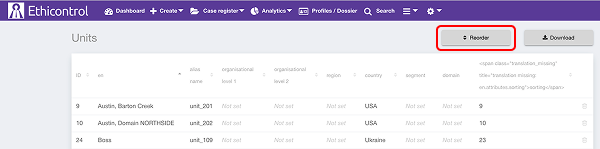
This means the list does not have to rely only on alphabetical or system-defined sorting.
Administrators can arrange Units according to how people actually use them.
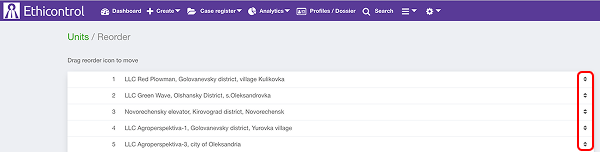
For example, an organisation could:
- place headquarters first;
- keep locations from the same region together;
- follow an internal reporting structure;
- prioritise frequently selected Units;
- reproduce an existing organisational sequence.
The configured order is then applied consistently across the system.
Hierarchy and ordering solve different problems
The two capabilities work together but serve different purposes.
| Capability | What it controls |
|---|---|
| Tree structure | How Units relate to one another |
| Custom ordering | In which sequence Units appear |
An organisation might therefore create a hierarchy of regions and locations while also deciding the order in which those locations appear within each part of the structure.
This provides both context and predictability.
A practical example
Imagine a company operating across several countries.
Its UAE operations include a head office, warehouses, production sites, and regional branches. Its UK and US operations have their own local structures.
In a flat list, every location appears together.
A user searching for a particular branch must already know its exact name, and administrators cannot ensure that related Units stay together.
With hierarchical Units, the organisation can group locations under the appropriate country, region, or business division.
Custom ordering can then place the most commonly used or strategically important Units first.
The underlying organisational data remains the same. What changes is how clearly that structure is presented to users.
What this changes for administrators and users
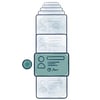

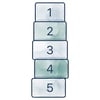
More predictable dropdowns
Administrators can control the sequence in which Units appear rather than relying only on default sorting.
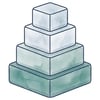
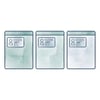
Designed around the organisation you already have
There is no universal organisational hierarchy.
One company may organise Units primarily by geography. Another may begin with legal entities, while another structures everything around business divisions.
Ethicontrol does not require organisations to adopt one predefined model.
Parent–child relationships and custom ordering allow the Units directory to reflect the structure that already exists.
That is especially useful as organisations expand, reorganise, or introduce additional entities and locations.
From a Unit list to an organisational structure
A Unit directory may seem like a small part of a case-management platform.
But when Units are used for reporting, assignment, access, analytics, and case classification, the way they are organised affects many everyday interactions with the system.
Tree structures provide the context.
Custom ordering provides control over how that structure is presented.
Together, they turn a flat list of organisational values into something that more closely reflects how the organisation actually works.
 Make complex organisational structures easier to navigate
See how Ethicontrol can adapt Units, hierarchies, and case-management workflows to your organisation's structure.